Prepare your drawing
Open a DXF file or start a new drawing. Edit contours and dimensions.
CAD featuresCAD / CAM FOR WINDOWS
DXF editing and 2.5D CNC preparation in one app. Draw, prepare operations, and review the result with FaberCAM.
7-day trial · Windows 10 / 11 · 64-bit

Prepare and review your job in the same workspace.
Open a DXF file or start a new drawing. Edit contours and dimensions.
CAD featuresChoose profile, pocket, or drill operations. Set your tools and machining parameters.
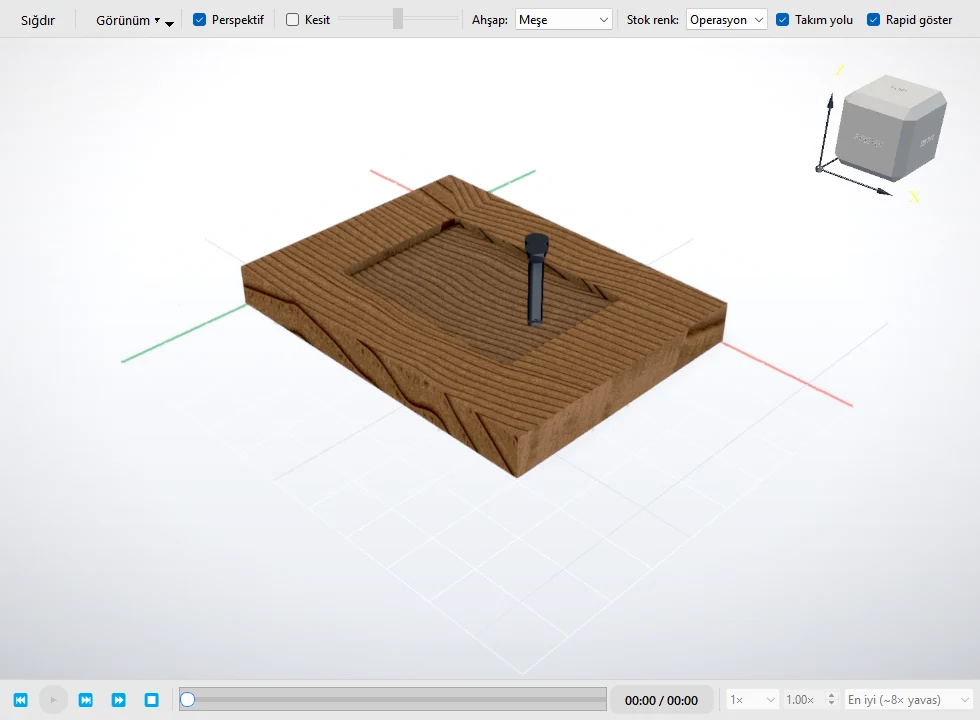
CAM featuresPreview your toolpaths and check each operation before moving to the machine.
WorkflowsExplore FaberCAM products for drawing, machining, nesting, and cutting.
CAD/DXF and essential 2.5D CAM
Advanced production tools
Part nesting on sheets
Not available to download yet.
Plasma cutting preparation
Not available to download yet.
Pricing is not yet available. The FaberPANEL extension is also in development. All products →
A few answers about the trial and installation.
Get support →Create an account and download the Windows app. Your 7-day trial starts when you first sign in inside the app and is tied to the first activated device.
FaberCAM runs on 64-bit Windows 10 and Windows 11. See the system requirements page for hardware details.
Yes. Import your DXF file and edit the drawing. Check units, contours, and compatibility with your target machine software before production.
Basic includes CAD/DXF and essential 2.5D CAM tools. Standard adds simulation and production output tools. Pricing and purchasing are not yet available.
Download the app. Sign in with your email and get started.