
Build 2.5D operations
Create profile, pocket and drill operations from the CAM Studio workspace.
FABERCAM / CAM
Operationen vorbereiten und Werkzeugwege vor der Maschine prüfen.
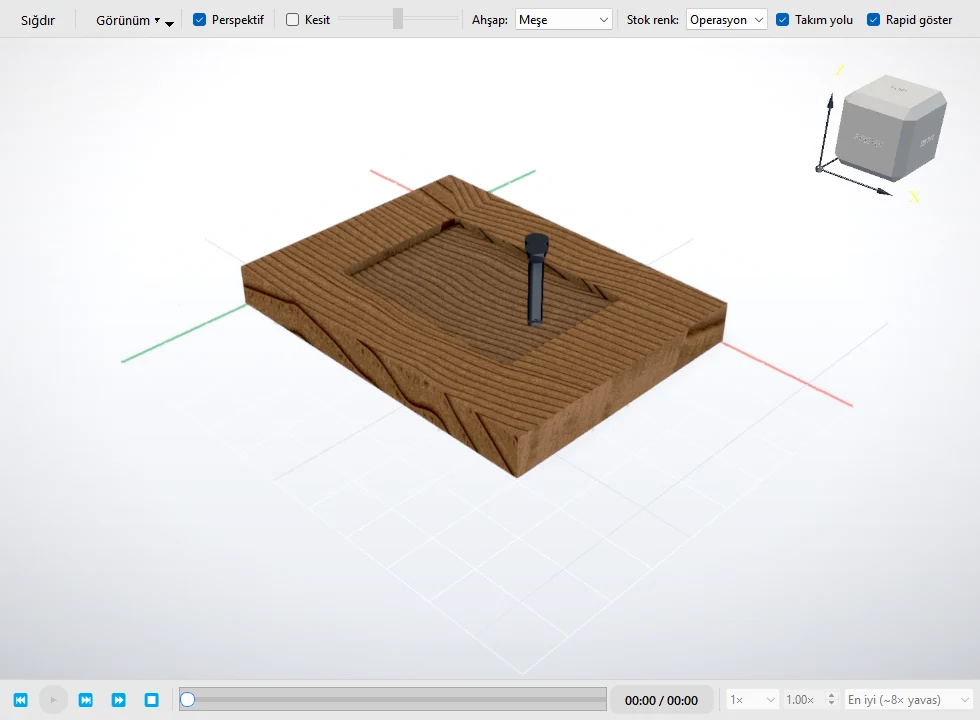
2.5D CAM
Prepare profile, pocket, and drill operations while keeping the source geometry and resulting toolpath in view.
CAM STUDIO
FaberCAM’s current 2.5D CAM scope keeps the relationship between source geometry and generated tool motion visible.
Create profile, pocket and drill operations from the CAM Studio workspace.
Set profile position, direction, leads, tabs, depth passes, pocket stepover and helix, ramp or plunge entry.
See an operation binding classified as Fresh, Stale or Broken when the CAD snapshot changes.
Review the path in a 2D overlay and 3D view, then play, pause, seek and step through the motion.
Machine, controller and post compatibility is verified separately. Surface 3D machining and design comparison are not presented as released capabilities.